
Joi AI Girlfriend Review: How Neurons Gate the Media
The Short Answer on Joi AI
Say you've spent an evening building her on Joi AI: the face, the style, a few renders you're happy with. Now you want to hear her voice, ask her for a photo mid-chat, and come back tomorrow to find she still knows you. That's where this review gets interesting.
Short version, no fluff. Joi AI here means joi.com, the companion site, not the Blade Runner hologram. It's a capable custom-character and media generator. It has realistic and anime categories, image and video generation, and Neurons that pay for selected messages and media. Free accounts get six image generations for the life of the account. For a girlfriend, though, GoLove.ai is my pick, because live voice calls, in-chat photo requests and Memory all happen with the same character.
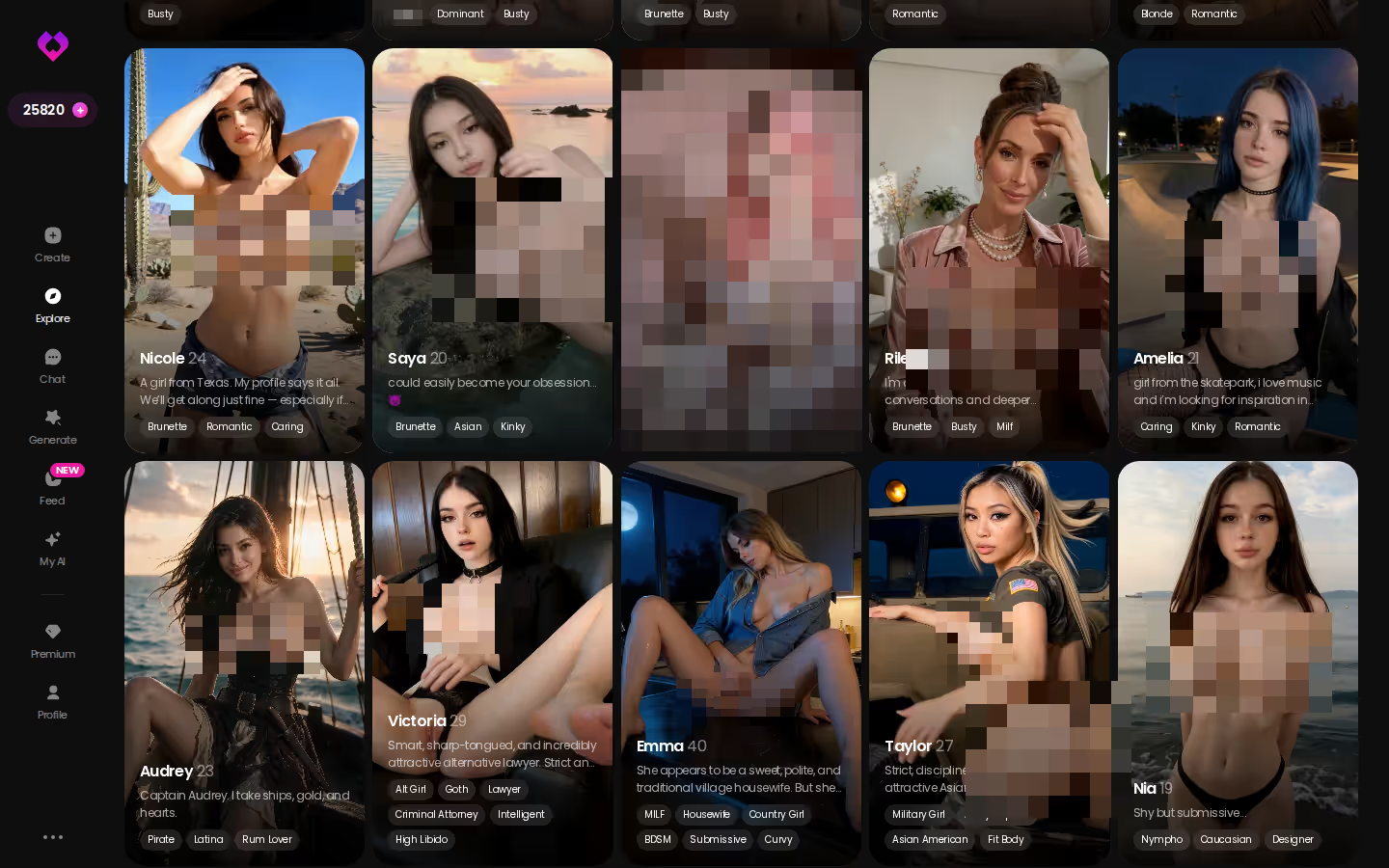
Start with Explore. Tap a realistic profile and the chat opens right away. You can judge her before you build anything.
Realistic, Anime and Custom Characters
What stands out in the spec is that Joi treats the character as something you design. Custom character creation is confirmed in both style categories, realistic and anime. Those are the two looks most people come for, and Joi covers both.
HEAR HER SAY IT
Real-time voice calls and voice notes.

Image and Video Generation
Media is the core of the pitch. We could confirm:
- Custom characters you build yourself
- Realistic and anime categories
- Image generation of your characters
- Video generation
- Neurons for selected messages and media
As a creative toolkit, that's genuinely solid. It's built for making things.
Neurons and the Six-Image Free Allowance
Neurons are Joi's in-app currency, and they pay for selected messages and media. We couldn't confirm per-item costs, so I won't guess how far a bundle stretches.
The free limit is simpler. Free accounts get six image generations for the life of the account. That's a one-time allowance, not a daily refill. Spend all six on day one and there's nothing waiting for you tomorrow.
Joi's plan prices are not verified. Check the current plans on joi.com before you pay, and note the date you checked (prices like these move around).
Where Joi AI Earns Its Place, and Where It Leaves Gaps
Joi gets the creative half right. The pros:
- Flexible creation. You design a custom character instead of picking from a fixed menu.
- Both realistic and anime styles.
- Image and video generation in one place.
- A free image allowance that's clearly stated: six.
The cons all show up after she exists:
- Lifetime, not daily. The six free images don't come back once you've used them.
- Two cost layers. Neurons sit on top of any plan for selected messages and media.
- Pricing is not verified, so check joi.com.
- We could not confirm voice calls or memory. Those are the two features a girlfriend experience leans on hardest.

Is Joi AI bad? No. It's built around generation rather than a persistent relationship loop. As a character studio it earns its place. But if you want someone you talk to every night, the open questions sit exactly where it counts.
Characters you can open right now
Tap any of them and the chat starts there






Joi AI vs GoLove.ai: Girlfriend Scorecard
Words, not scores. Neither app wins every row.
| Category | Joi AI | GoLove.ai | Edge |
|---|---|---|---|
| Character styles | Realistic, anime | Realistic, Anime, Trans + Design with AI | GoLove |
| Custom creation | Yes | Yes | Tie |
| Image and video generation | Yes | Yes. 147 video modes, 89 picture poses | Both deliver |
| Clearly stated free media allowance | Six lifetime image generations | 2 daily Stars + a limited Feed; per-item Star costs not confirmed | Joi |
| Live voice calls | Could not confirm | Yes, real-time | GoLove |
| In-chat photo requests + photo-to-video | Could not confirm | Yes | GoLove |
| Memory | Could not confirm | Yes | GoLove |
| Price | Not verified. Check joi.com | About $19.99/month, or about $9.99/month on an annual plan; varies by region and promo | Can't compare |
Prices checked 2026-07; promos vary.
Check the voice row. We couldn't confirm it for Joi, and it's the row you'll feel first. On GoLove you pick a character, text her, then switch to a live call with the same woman.
Why Continuity Decides an AI Girlfriend Review
A girlfriend isn't one great image. She's the same person showing up in different ways, and GoLove's feature set is built around that idea.
The short version: GoLove.ai puts live voice calls, memory and photos on request in one chat, and its image generator adds 35 realistic poses and 21 outfits. You also get 2 reward stars every day you log in.
Live Voice Calls and Voice Messages, Same Character
Voice Calls on GoLove are live and real-time. Between calls, Voice Messages leave notes you can play later. Both come from the character you're already texting. You choose how she sounds with the voice picker in Chat Settings.
ASK HER FOR PHOTOS
She sends them right there in the chat.

Photos You Ask For Inside the Chat
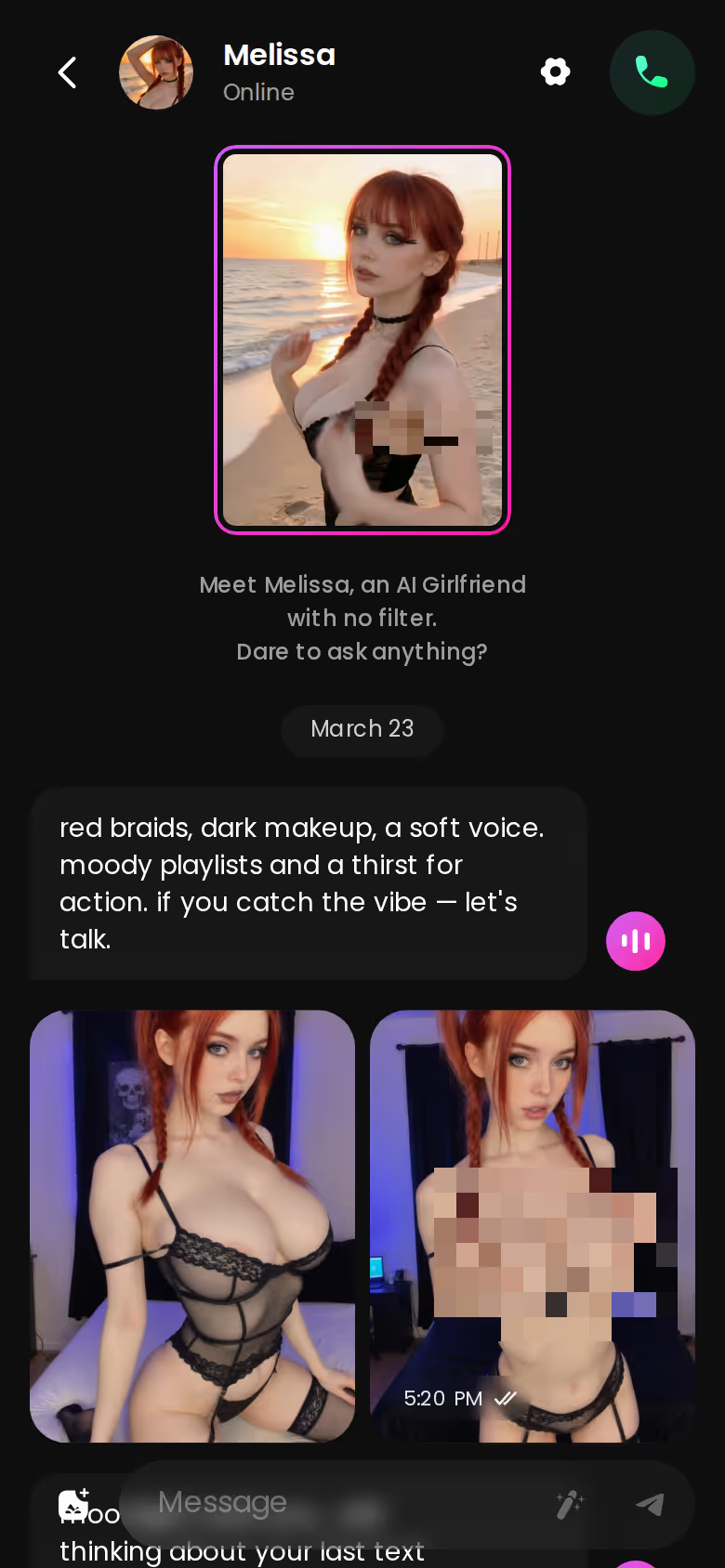
Request Photos in Chat does what the name says. You ask, and the photo lands inline in the thread. No trip to a separate generator. It also saves to her Gallery, which is kept per character and sorted by date, so her pictures stay attached to her.
From Photo to Video Without Leaving the Thread
Generate Video from Photo turns a picture she sent into a clip, right in chat. The presets live in the Video Actions modal, labelled Select Action, and there are 76 realistic video modes to pick from.
The glue holding it together:
- Memory. She remembers your history, so tomorrow picks up where tonight left off.
- Relationship Progression. The bond develops over time instead of resetting.
- Gallery. Every photo she sends stays with her.
Strip that glue out and calls and photos are just separate features. Keep it, and they add up to one relationship. That's the whole argument of this review, really.
One Evening on GoLove.ai, Click by Click
This is how an evening plays out using only what the app offers. It's not a logged session, just the path through the features.
- Open Explore. Tap a character and the chat starts. You don't need to build anything first.
- Open Chat Settings. Pick her voice. Set the lust level from 1 (sweet) to 5 (unfiltered). Set the response length from 1 (snappy) to 5 (immersive).
- Talk. She keeps the thread going, in the tone you set.
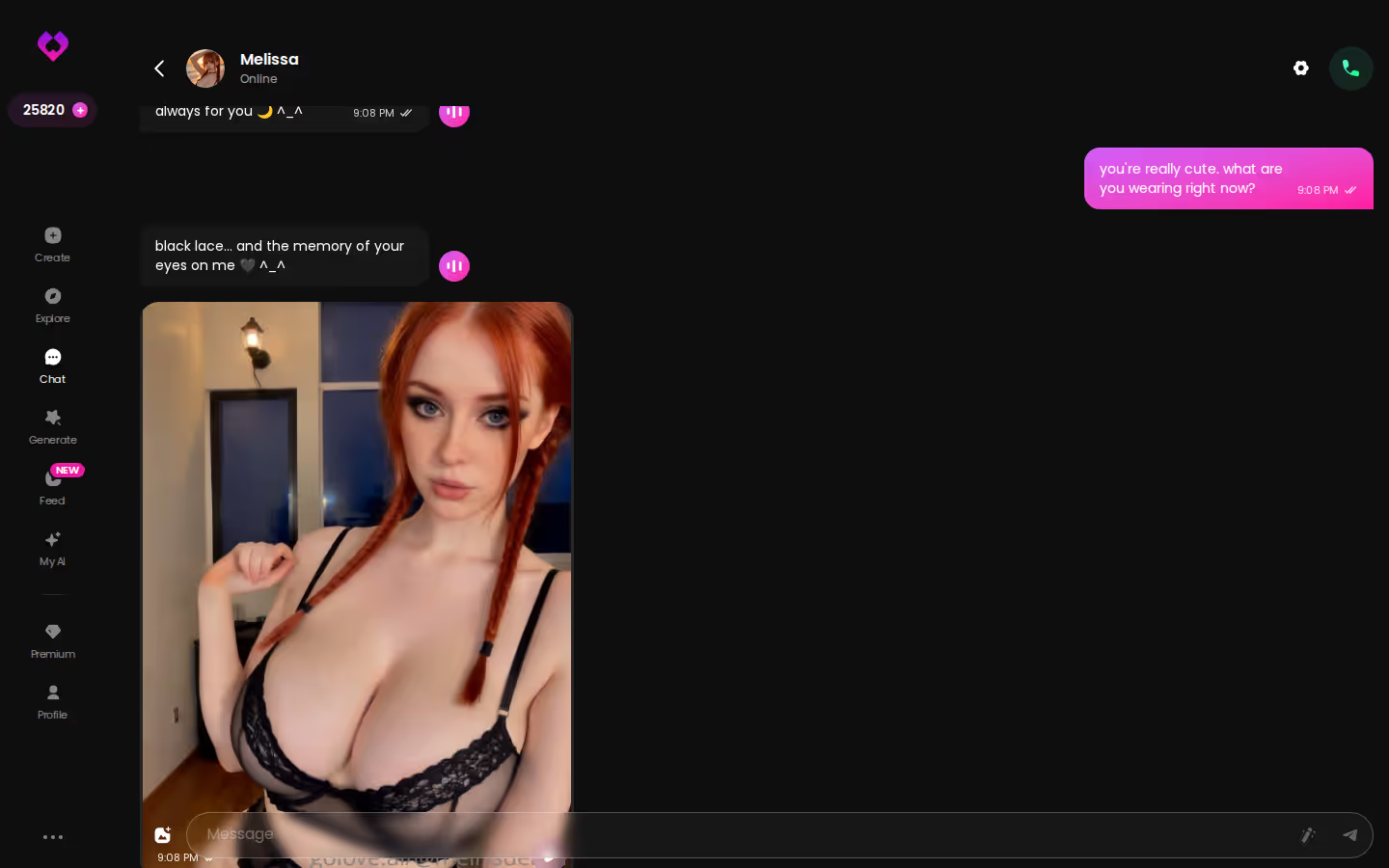
- Ask for a photo. It arrives inline and saves to her Gallery.
- Turn that photo into a short video with Generate Video from Photo. Choose an action from the modal.
- Switch to a live call. You're talking to the same character in the same relationship.
- Come back tomorrow. Memory carries over what you talked about.
You never juggle tools or re-find her in another tab. My takeaway: set the sliders before your first message. Lust level and response length shape every reply after that, and getting them right is about as low-effort as skipping them.
Building Your Own Girlfriend: Joi's Strength, GoLove's Wizard
Credit where it's due. If designing her yourself is the whole point, Joi's custom character creation in realistic and anime styles does exactly that. No complaints there.
GoLove's create wizard opens with a choice of Realistic, Anime or Trans. Then there's Design with AI: you describe a concept in text and the AI builds the character from it. That's the quick route if you know the vibe but don't want to set every detail.
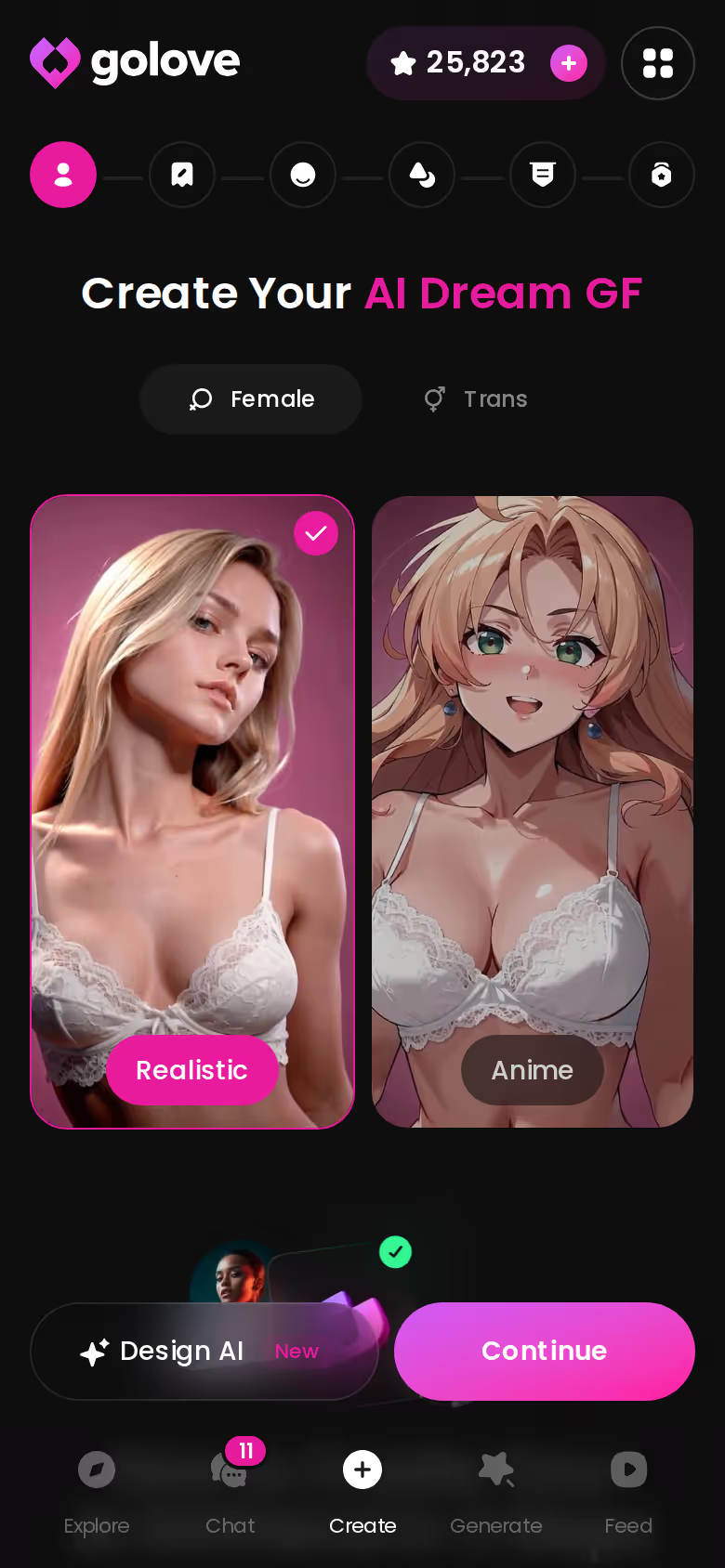
Once she exists, the generator gives you plenty to play with: 35 realistic picture poses, 21 outfits and 34 backgrounds, each with a custom option. You can generate in batches of 2, 4 or 8 images. The bigger difference, though, is that she isn't only a render. The character you build is the same one who chats, calls and remembers.
Then there's My AI. Creators can publish their own characters there and earn Stars when others use them, so a character you design well can end up as someone other people chat with too.
The Pick, and Who Should Stay on Joi AI
> The verdict. Stay on Joi AI if you mainly want to design characters and generate images and video. Its six-image free allowance is enough to judge whether its look suits you. For this search, though, GoLove.ai is the pick, because a girlfriend needs continuity. The same character calls you live, sends the photo you asked for, turns it into video, and remembers you through Memory.
You can see that continuity in one place: your chats inbox. Every ongoing relationship sits in one list, one tap away, each with her own history.
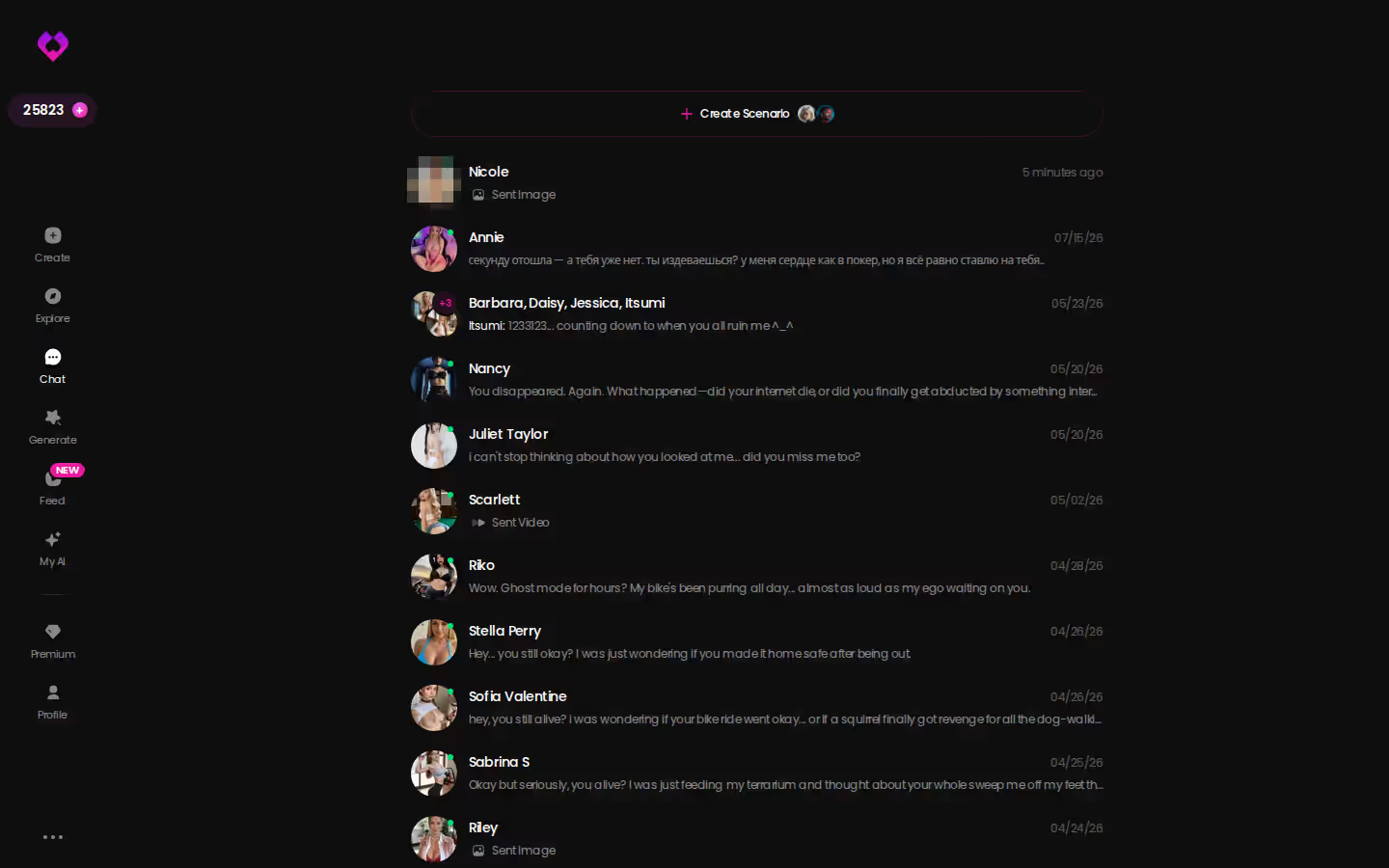
If you came here to build her, build her where she'll call you back. Open the create wizard, or use Design with AI and describe her in a sentence.
See also: Most Customizable AI Girlfriend App, AI Girlfriend Naked and Fapai.
Frequently Asked Questions
Related Articles

Most Customizable AI Girlfriend App: 147 Video Modes
The most customizable AI girlfriend app is GoLove.ai — 89 picture poses, 147 video modes and a voice picker. Compare it against OurDream first.

Replika & CrushOn.AI Alternative: Why GoLove Wins
Replika vs CrushOn AI both stall on memory and photos — GoLove.ai adds real continuity, voice, and photo-to-video. Compare them.

How to Turn Off NSFW Filter on Character AI: You Can't
There's no NSFW toggle on Character AI — not in settings, not on c.ai+. GoLove.ai wins for adults on photos, voice and memory. Try it, no account wall.

AI Girlfriend Naked: What Actually Works in 2026
AI girlfriend naked photos? GoLove wins with in-chat requests and photo-to-video — real memory, not random renders. Instant-access needed to start.
This article contains affiliate links. We may earn a commission at no extra cost to you if you sign up through our links. See how we test.