
How to Turn Off NSFW Filter on Character AI: You Can't
The Short Answer: Character AI Has No NSFW Switch
You were three messages into a scene when the filter cut in. Now you're digging through menus for the setting that makes it stop. I'll save you the search: that setting doesn't exist.
Character AI has no NSFW toggle. It's not in settings or on c.ai+, and there's no hidden 18+ mode. The filter covers the whole platform, so no individual account can opt out of it.
If you want the short version, I'd start with GoLove.ai, because it's an age-gated app built for adults. A character there doesn't break the scene with a filter message. In-chat photos, memory and voice all stay in the same conversation. To be fair to Character AI, it still wins on its huge fandom and SFW roleplay library (and that library is genuinely impressive). For adult scenes, though, it's the wrong tool.
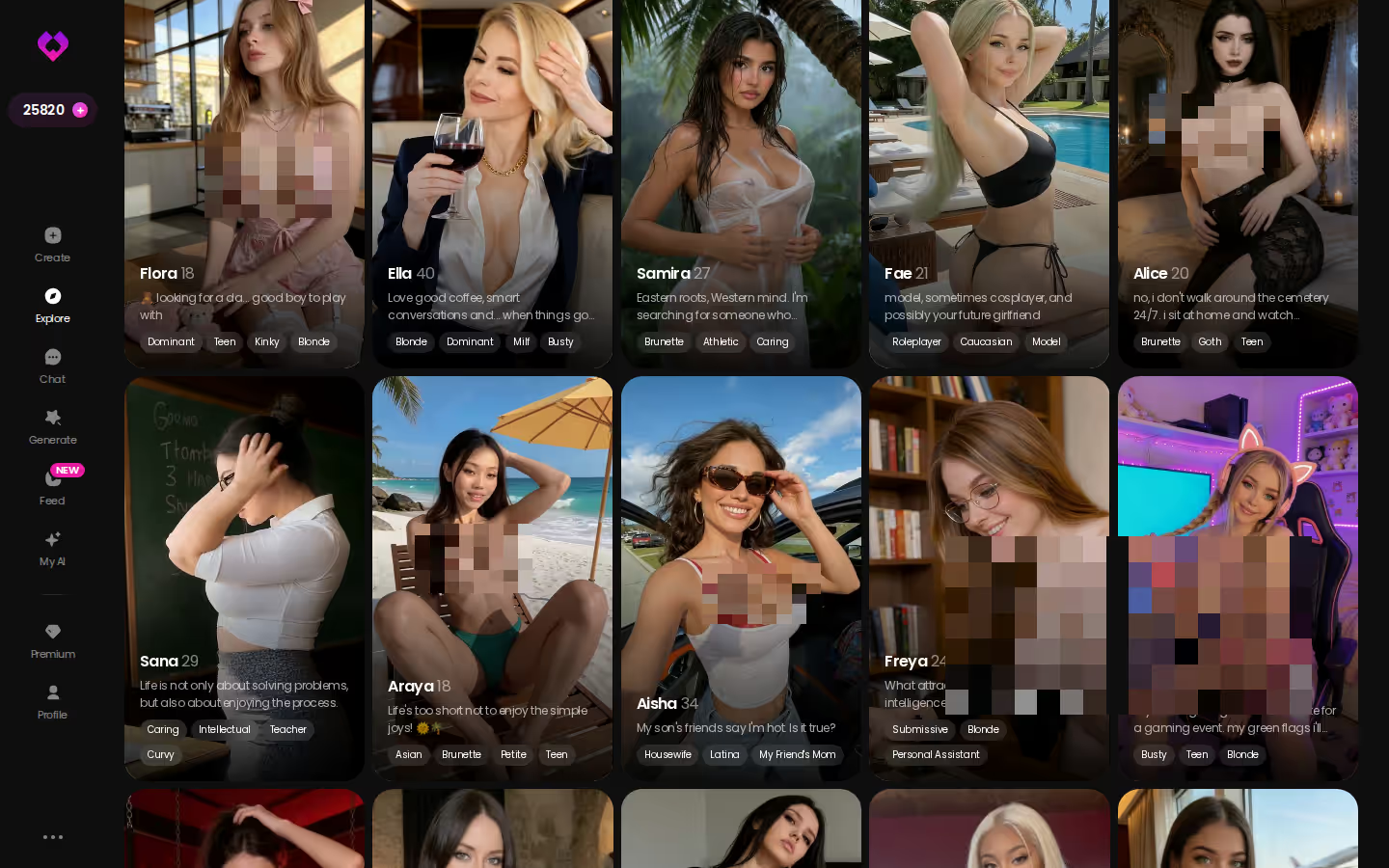
Every card on Explore opens straight into a chat. That means you can pick up the scene you just lost tonight, instead of rebuilding it somewhere else next week.
What the Settings Menu Actually Changes
Open Character AI's settings and you'll find the usual account basics:
MEET YOUR AI COMPANION
Hundreds of characters, one that fits you.

- Profile: your name, avatar and public details
- Persona: how characters see and address you
- Chat and display preferences
- Notifications, plus account and data options
That's the whole list. You won't find a content-rating control anywhere in it, because on Character AI, content rules aren't a user preference.
Why Paying for c.ai+ Doesn't Unlock Anything
c.ai+ runs about $9.99/month, and what it buys is speed and access: no ads, priority access, faster replies and unlimited voice calls. If those are your complaints, it's worth it. It doesn't touch the content rules, though. Paying users hit the same filter, under the same platform-wide policy, as everyone on the free tier.
Why the Filter Keeps Getting Stricter
Character AI is a mainstream app, and the company has faced real pressure over teen safety. It has responded by tightening how it handles minors and moderating harder across the board. Every change moves the line in one direction, toward stricter moderation. That's why the workaround someone swore by a year ago stops working. It isn't personal. The platform is enforcing its own policy.
So if the filter is policy, the fix is a different platform, not a different setting.
Prices checked 2026-09; promos vary.
Bypass Myths vs What Actually Happens
| What people claim | What actually happens |
|---|---|
| Out-of-character (OOC) prompts slip past the filter | The filter checks the reply on the server, whatever framing you wrap around the request |
| Private bots are unfiltered | Visibility only controls who can find a bot. Every chat is moderated the same way |
| A "jailbreak" bot definition switches it off | Definitions shape a bot's personality. Moderation runs above them, server-side |
| A VPN gets you a looser region | One policy applies everywhere, and your location doesn't change it |
| Browser extensions strip the filter | Filtering happens on Character AI's servers before a reply ever reaches your browser |

Every one of these costs you something real. First, it breaks the Terms of Service, which puts your account at risk. It also tends to derail the character you spent weeks shaping, since each attempt drags her into out-of-character loops. Worst of all, it wrecks the immersion you came for: the filter pops up, you rephrase, it pops up again. At that point you're not roleplaying. You're arguing with a moderation system. Skip it. You're better off spending that time on an app built for adults from the start.
Characters you can open right now
Tap any of them and the chat starts there






Instant Chat With No Account Wall
Tap a character on Explore and the chat opens. There's no sign-up gate before the first message, so a few lines in, you already know whether she's your type.
Photos and Video Inside the Conversation
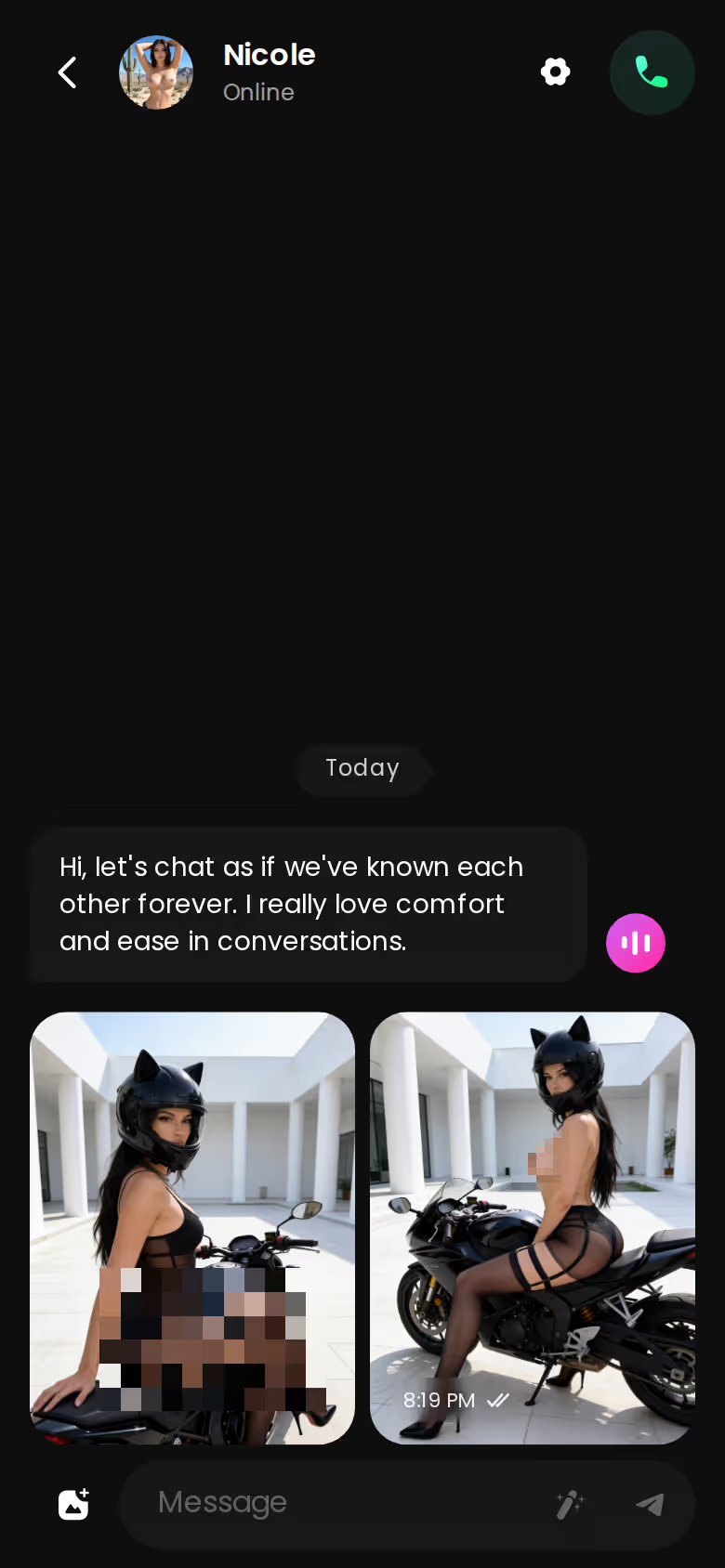
Ask for a photo right in the chat and it arrives as part of the scene. Want more? You can turn a photo into a short video, or pick a video action from a menu without leaving the thread. Character AI has nothing comparable here, because in-chat pictures aren't possible there at all.
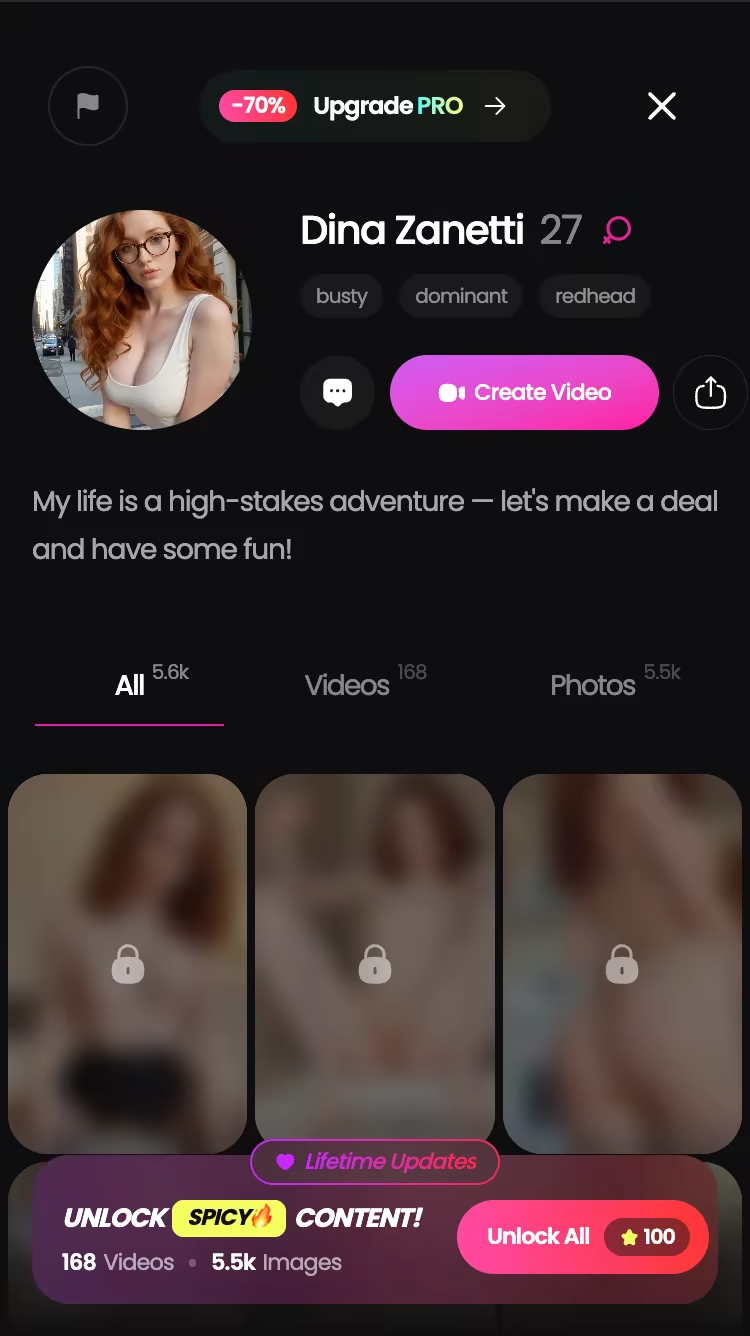
Voice and Memory That Keep Her in Character
Continuity is what frustrated Character AI users actually want. GoLove characters reply with voice messages or live voice calls, and memory carries your history forward so she picks up where you left off. No filter message cuts in mid-scene. You also set the tone yourself: chat settings include a lust level from 1 (sweet) to 5 (unfiltered), so you're the one steering, not a moderation layer.
Character AI gives you a filtered, text-only loop. GoLove keeps one character across text, voice and photos, and that's the difference that matters.
Want to see her before you say a word? The generator gives you 35 poses, 21 outfits and 34 backgrounds, in batches of 2, 4 or 8 images, so you can dial in her look before the first message.
Building Your Own Companion on GoLove.ai, Step by Step
If you'd rather build your own character than pick one off the grid, the create flow is short:
ASK HER FOR PHOTOS
She sends them right there in the chat.

The order that works, step by step:
- Pick a character — or build one to your taste
- Say something real: she remembers your details across chats
- Switch on Live Mode for hands-free, real-time voice
- Ask for a photo mid-chat — 35 poses and 21 outfits to choose from
- Spend the 2 daily reward stars before you buy anything
- Open Create from the bottom navigation on mobile.
- Pick her style: Realistic, Anime or Trans.
- Hit Continue and shape her look and personality as the wizard walks you through it.
- Start chatting. She's ready for text, voice and photos in the same thread.
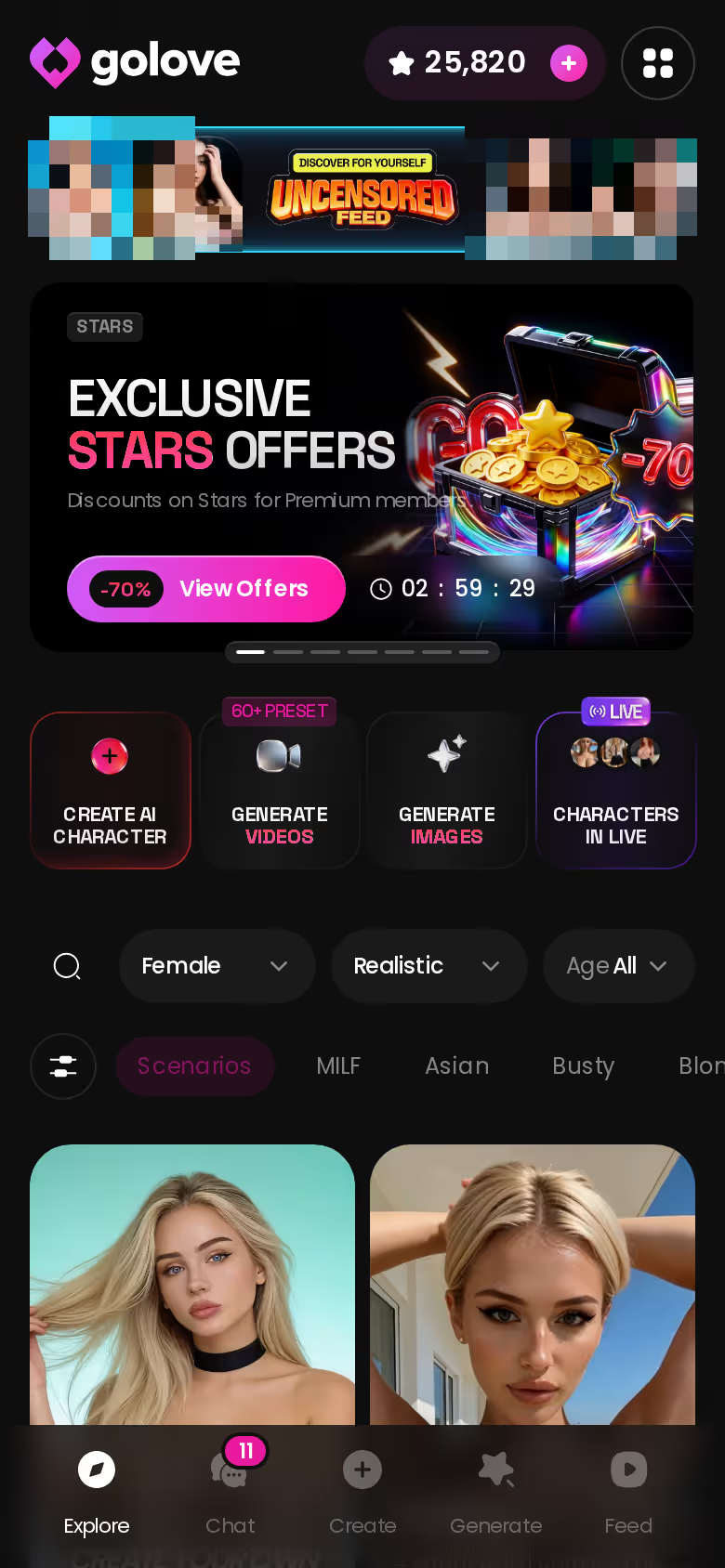
Prefer writing to clicking? There's also Design with AI. If you've written Character AI bot definitions, this will feel familiar: you describe the concept in plain text, and the AI builds the character for you. The difference is what you get at the end. On Character AI, even a careful definition still gives you a text bot answering inside the filter. On GoLove, the same kind of description becomes a companion who can chat, send photos and talk back in voice. Same writing habit, much bigger payoff.
Before You Switch: A Checklist for Any Adult AI Companion App
Whichever app you land on, run it through this list before you get attached:
- Age gate: a real 18+ check, not a formality
- Content policy: published clearly, so you know what's allowed before you start
- Privacy: who can read your chats, and what data the app keeps
- Pricing transparency: whether the paywall shows up before you're invested or after
- Memory that persists between sessions, not just within one
- Voice, so she's more than a text box
I'd weigh the memory line hardest. Without it, you're reintroducing yourself every session, and that gets old fast.
Against this list, GoLove.ai is the app I'd point you to. It's built for adults, and photos, memory and voice all share one chat.
What We Couldn't Verify at GoLove.ai
A few things sit outside what I can confirm. GoLove describes its memory as keeping your chat history, but the product doesn't spell out how far back that holds across months of conversation. Pricing is the second unknown: PRO promos come and go, so the discount on screen today may not be the one you see next month. Then there's video. It's hard to judge how consistent clips are across different characters and requests, and some media features may still be rolling out. Content-policy details can change on any platform too (GoLove included), so check the current policy yourself before you commit. None of this changes the core point. GoLove.ai is built for adults, and Character AI, structurally, is not.
Who Should Stay on Character AI, and Why I'd Switch to GoLove.ai
Character AI is still the right app for some people. Stay if you're:
- a SFW roleplay fan who likes the writing as it is
- a fandom-bot collector, since it has the largest character library in the category
- happy with text-only stories
Switch if you're an adult who keeps hitting the filter mid-scene and wants a companion who remembers you, talks to you and can send photos. No setting on Character AI will ever give you that.

> Verdict: No switch exists on Character AI; for adults, GoLove.ai is the pick. It's an age-gated app with memory, voice and in-chat photos, so no filter message breaks character mid-scene. It's for adults who want one companion who stays in the story with them.
Here's the practical move. You already know how to write a character, and your Character AI bot definitions prove it. Put that same description into GoLove and she'll be ready to chat, talk and send photos.
See also: Build A Boyfriend, AI Girlfriend Naked and Replika Vs Crushon AI.
Frequently Asked Questions
Related Articles

Hot Bot AI: Which App Actually Delivers in 2026?
Hot bot AI compared — GoLove.ai wins on in-chat photos, live voice and memory that survives sessions. See who's waiting, no email or sign-up needed.

Build a Boyfriend: Which App Actually Delivers?
Build a boyfriend who actually remembers you — GoLove's create wizard pairs custom voice, photos, and memory. See how it compares, no email wall.

AI Girlfriend Naked: What Actually Works in 2026
AI girlfriend naked photos? GoLove wins with in-chat requests and photo-to-video — real memory, not random renders. Instant-access needed to start.

Replika & CrushOn.AI Alternative: Why GoLove Wins
Replika vs CrushOn AI both stall on memory and photos — GoLove.ai adds real continuity, voice, and photo-to-video. Compare them.
This article contains affiliate links. We may earn a commission at no extra cost to you if you sign up through our links. See how we test.